
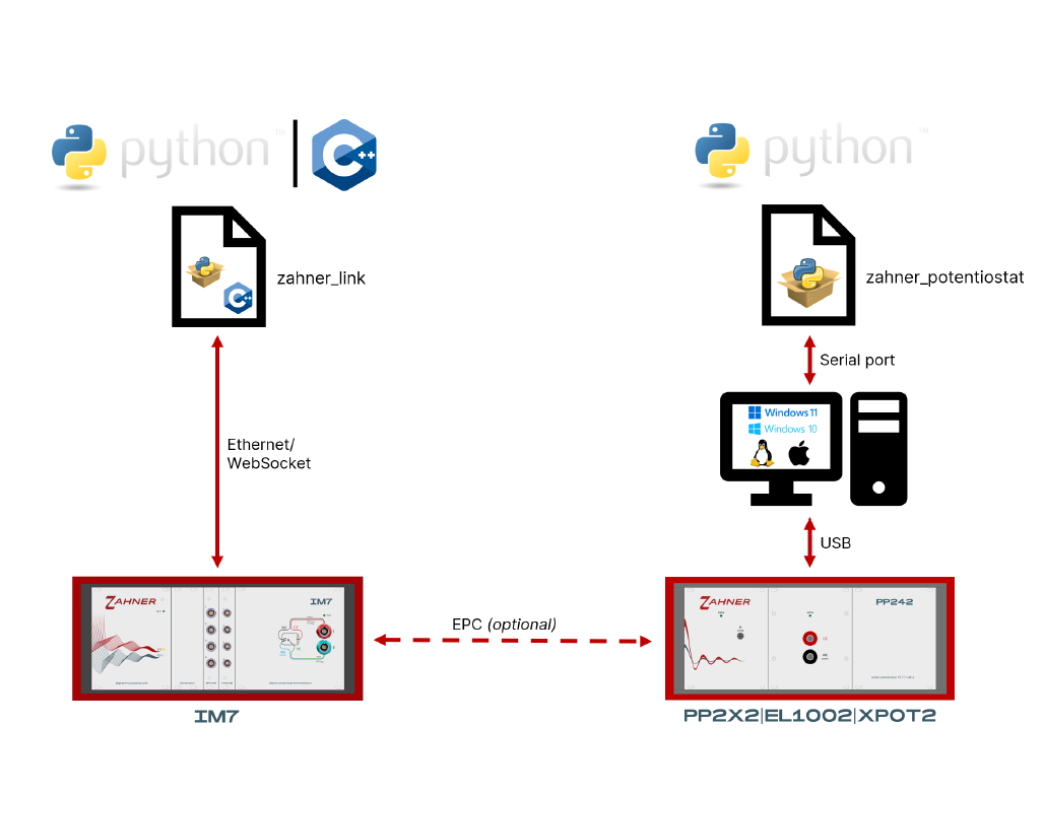
zahner_link gives your programs full control of the IM7, IM7c and IM7x electrochemical workstations and their extension cards. It is built on the same C++ core library as Zahner Lab, so a script measures exactly as the graphical user interface does, with no gaps between the two. The library talks to the IM7 over the network; the Python package is the main interface, and the same API is available for C++ and C#.
Measurements as Jobs
Every function of the instrument is a job: switching the potentiostat on, a polarization, an impedance spectrum, switching off. Jobs run one after another or are combined into complete test protocols, with loops, parameter series and decisions in ordinary code. The measured data comes back as datasets for NumPy, pandas or Matplotlib and can be saved in the Zahner XML format (.zmx), which Zahner Analysis opens directly.
- Electrochemical impedance spectroscopy with generated or custom frequency tables, with access to the raw EIS waveforms
- Potentiostatic and galvanostatic polarization, current-voltage curves such as cyclic voltammetry
- Pulse voltammetry (NPV, DPV, SWV) and measurements with freely defined excitation signals, for example from the Zahner Wave Editor
- Live DC and EIS data through callbacks, and stop conditions that end a measurement step when a condition is met
- The extension cards PAD42, TEMP-U2, RMUX16, MIO and EPC42
Through the extension card EPC42, the IM7 also works with the power potentiostats PP212, PP222 and PP242, the XPOT2 and the electronic load EL1002. On their own, connected to a computer by USB, these instruments are programmed with the separate Python library zahner_potentiostat (DC methods only; more on the Thales Remote page).
From Zahner Lab to Python
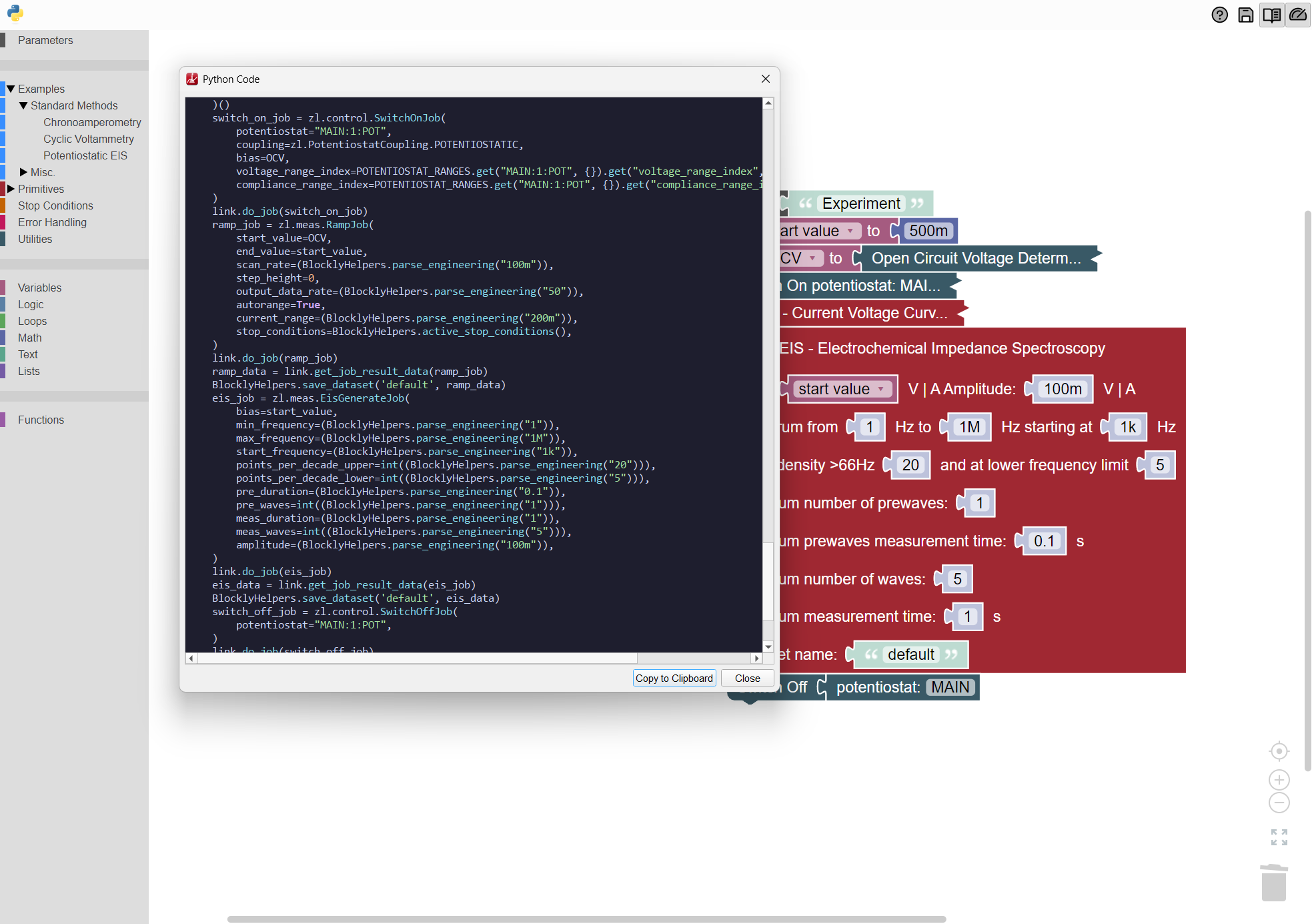
A script does not have to start from scratch. The Custom Experiment Builder of Zahner Lab turns an experiment assembled from drag-and-drop blocks into ready-to-run Python code with zahner_link, including the hardware settings of the current setup. The guide Getting Started with Python leads from the block setup to a complete evaluation script.
Installation, Examples and Documentation
The Python package is installed from PyPI with pip install zahner-link. It needs Python 3.11 or later; ready-built packages exist for Windows (x86_64), Linux (x86_64 and ARM64) and macOS (ARM64). The C# library ZahnerLink.Net and pre-built C++ libraries are available on request. ZahnerLink.Net runs on .NET 8 or later and on .NET Framework 4.8 and contains its compiled core for Windows (x86_64 and x86), Linux (x86_64 and ARM64) and macOS (ARM64).
The zahner_link repository on GitHub holds the examples as Jupyter notebooks, from the first connection to EIS, pulse voltammetry, stop conditions, live data, extension cards and encrypted TLS connections, most of them also in C#. The documentation describes every job and function and the JSON messages of the WebSocket protocol, so the IM7 can be controlled from any language that supports WebSockets.
zahner_link is free of charge under the Zahner Software License, which allows you to use, modify and pass on the library; the C++ source code of its compiled core is not included. Questions go to our support team, bug reports and wishes to the issue tracker on GitHub.
The key features at a glance: